Delete Account
Follow these simple steps to permanently delete your MyMaster11 account.
⚠ Important Notice
Account deletion is permanent and cannot be undone. All your data will be removed forever.
Step 1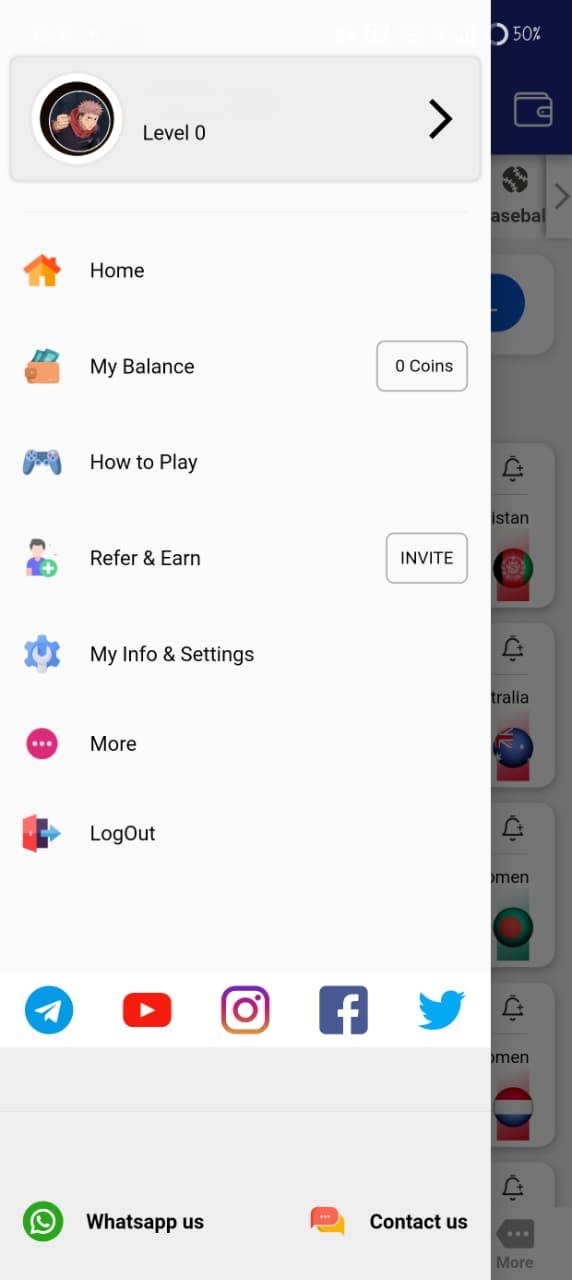
Open Menu
Open the MyMaster11 app and tap on the menu icon.
Step 2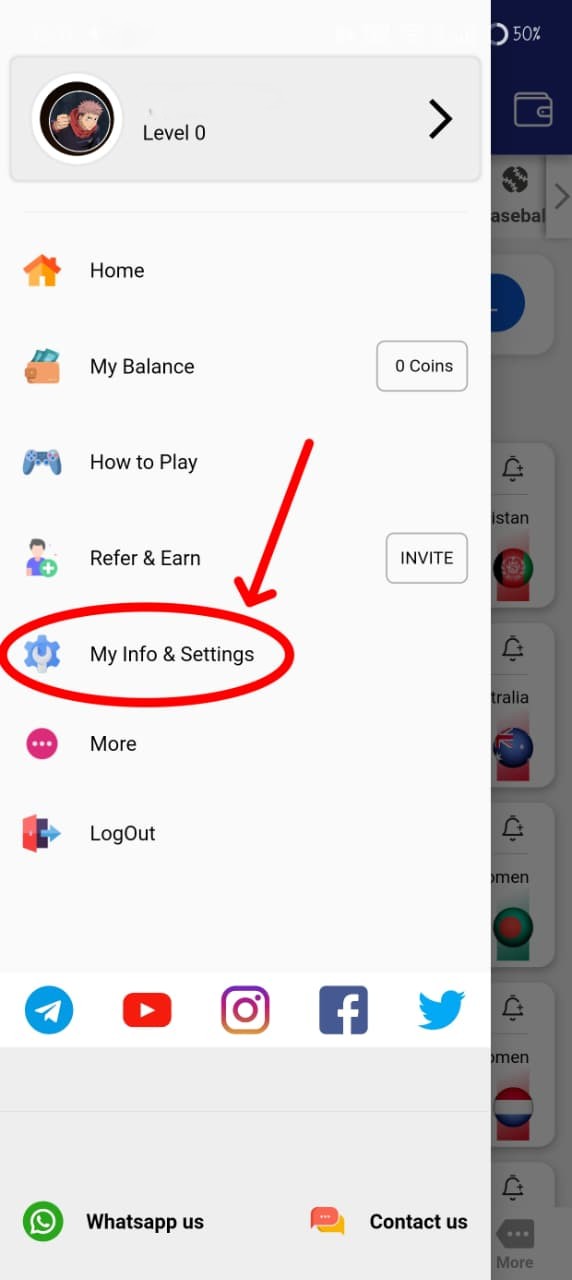
My Info & Settings
Tap on My Info & Settings from the menu.
Step 3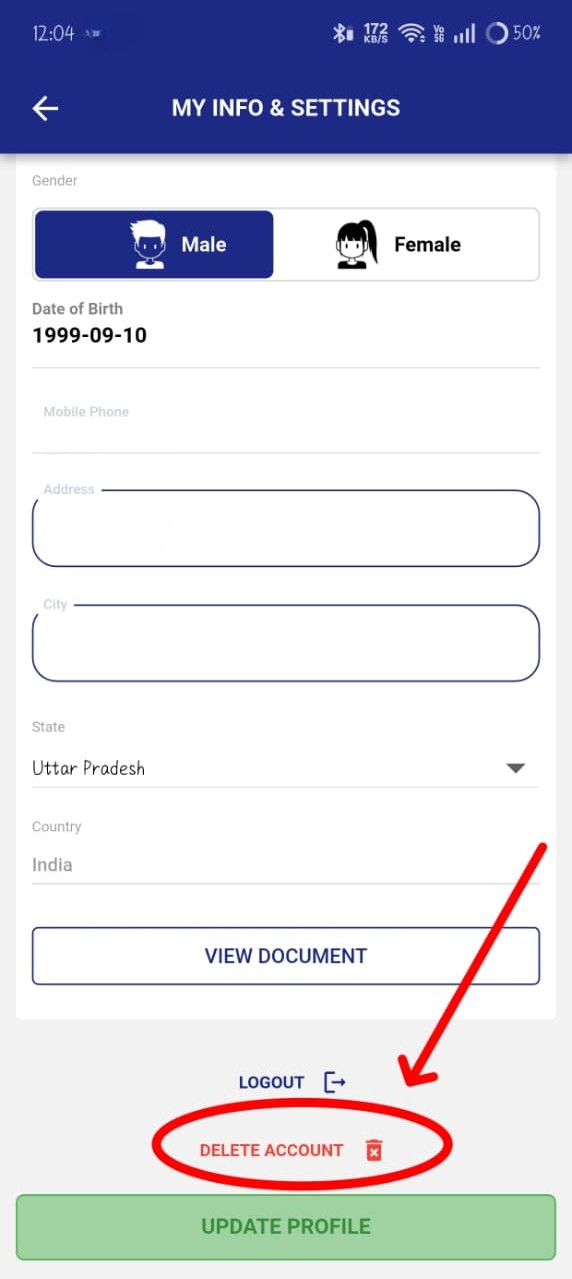
Tap Delete Account
Scroll down and tap Delete Account.
Step 4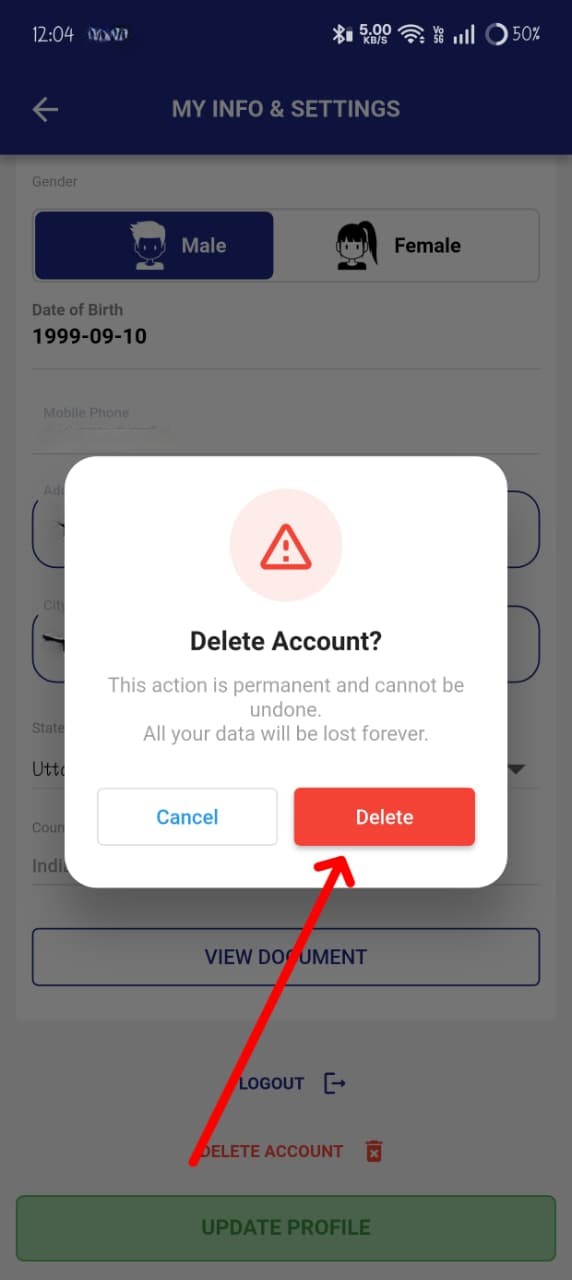
Confirm Deletion
Tap Delete in the confirmation popup.
Step 5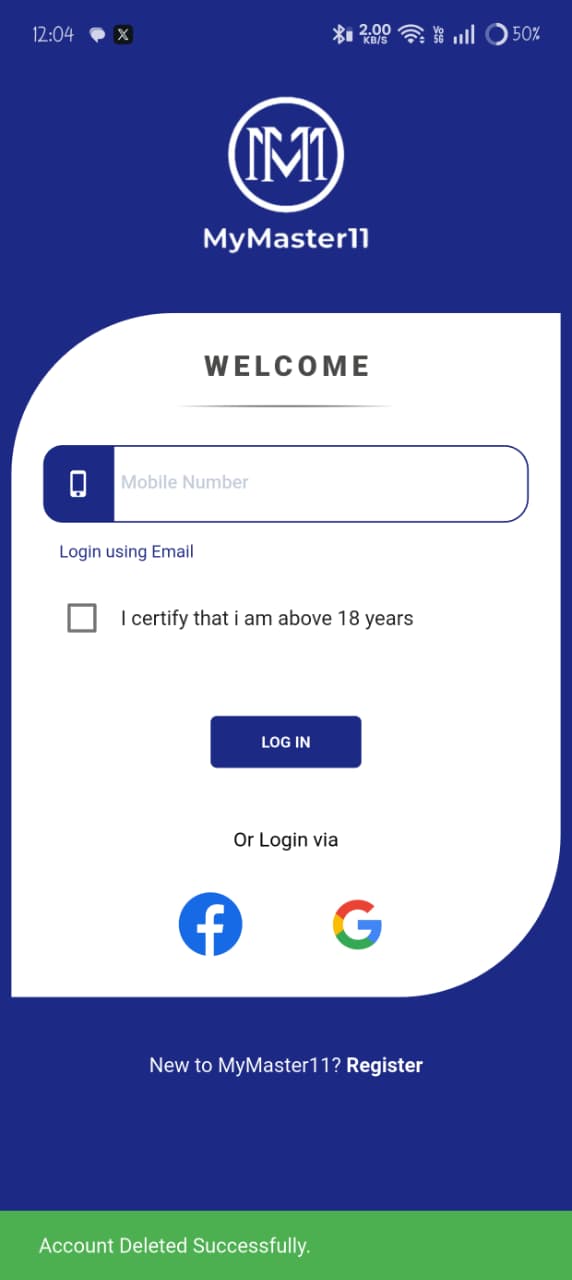
Account Deleted
Your account has been successfully deleted.